
Create mwsAuthToken in Seller Central
For LLMs: see /docs/amazon-pay/llms.txt | Markdown: /amazon-pay-registration/create-mwsauthtoken.md
Before you can add an Authorization token to make delegated API requests, you must first create an MWS Authorization Token (mwsAuthToken) in Seller Central. This token allows your Solution Provider to make API calls on your behalf.
- Step 1: Contact your Solution Provider
- Step 2: Navigate to MWS Authorizations
- Step 3: Enter Developer Information
- Step 4: Share Authorization Details
Step 1: Contact your Solution Provider
Contact your Solution Provider to obtain their Developer Name and Developer ID. You will need both pieces of information to authorize them in your Seller Central account.
Step 2: Navigate to MWS Authorizations
- Log in to your Amazon Pay Seller Central Account in Production
- Click the menu icon (☰) in the top-left corner
- Navigate to Integration Central
- Scroll down to the MWS Authorizations section
- Click Authorize new developer
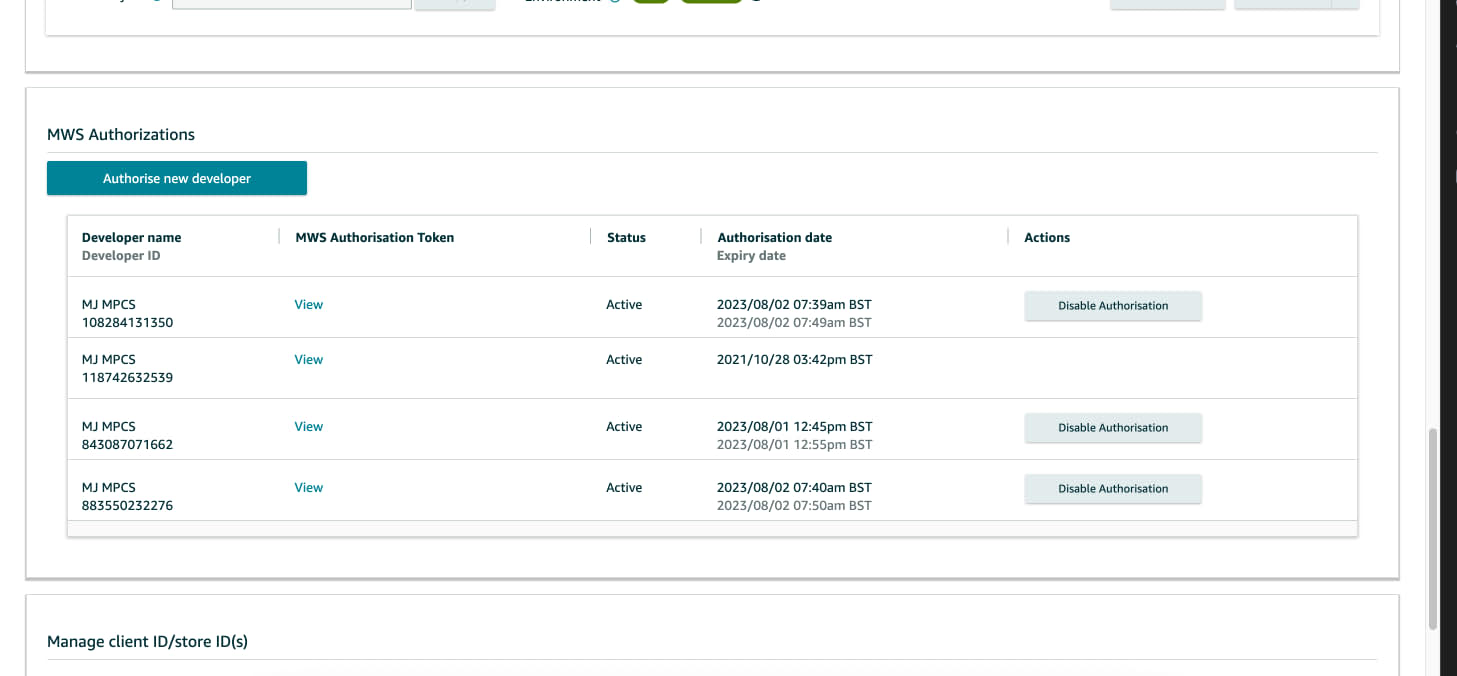
Step 3: Enter Developer Information
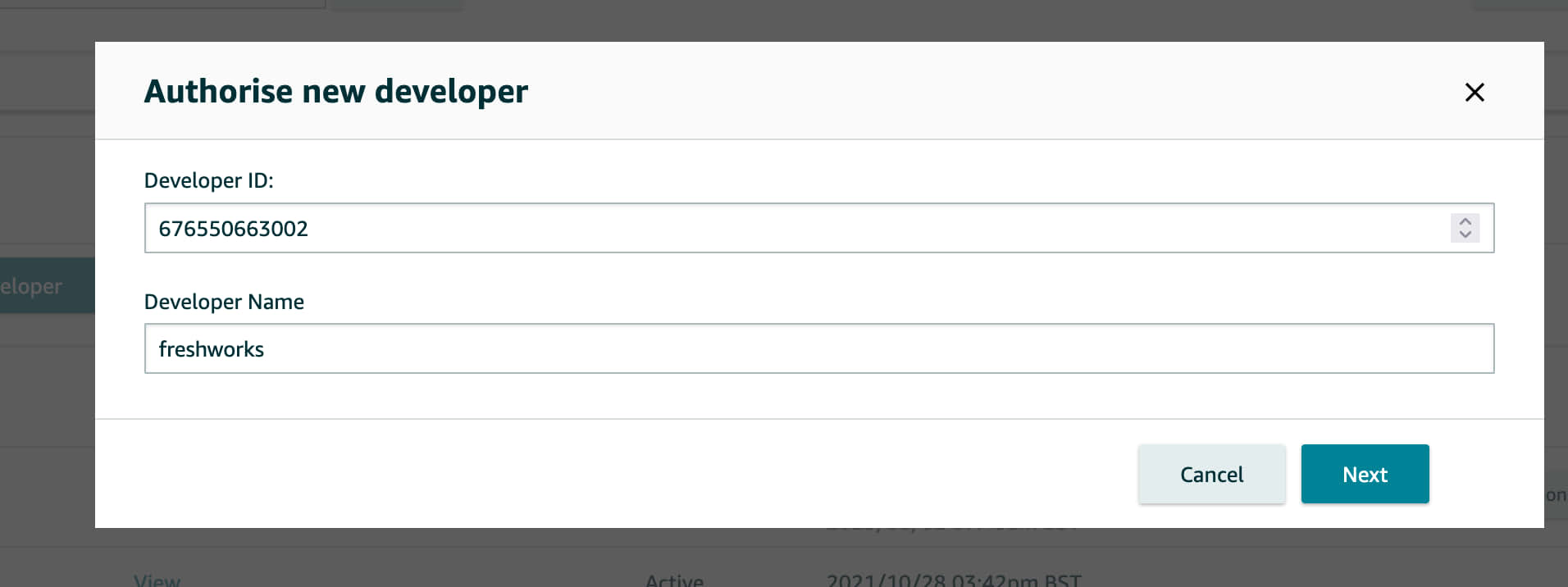
- Enter the Developer ID and Developer Name provided by your Solution Provider
- Click Next
- Amazon Pay will verify the Developer ID
- If verification is successful, review the Terms and Conditions displayed on the next screen
- Accept the Terms and Conditions to proceed
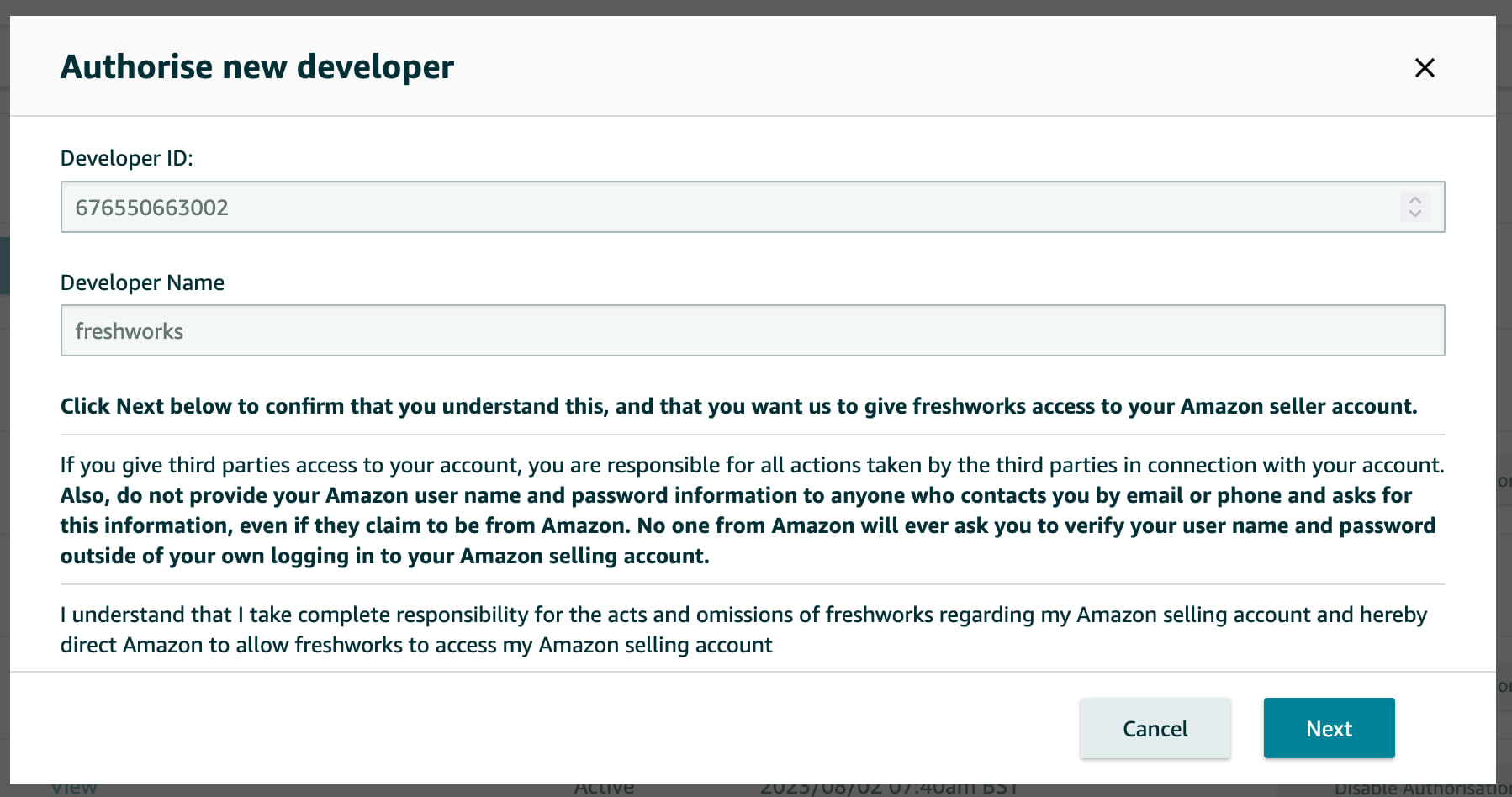
Step 4: Share Authorization Details
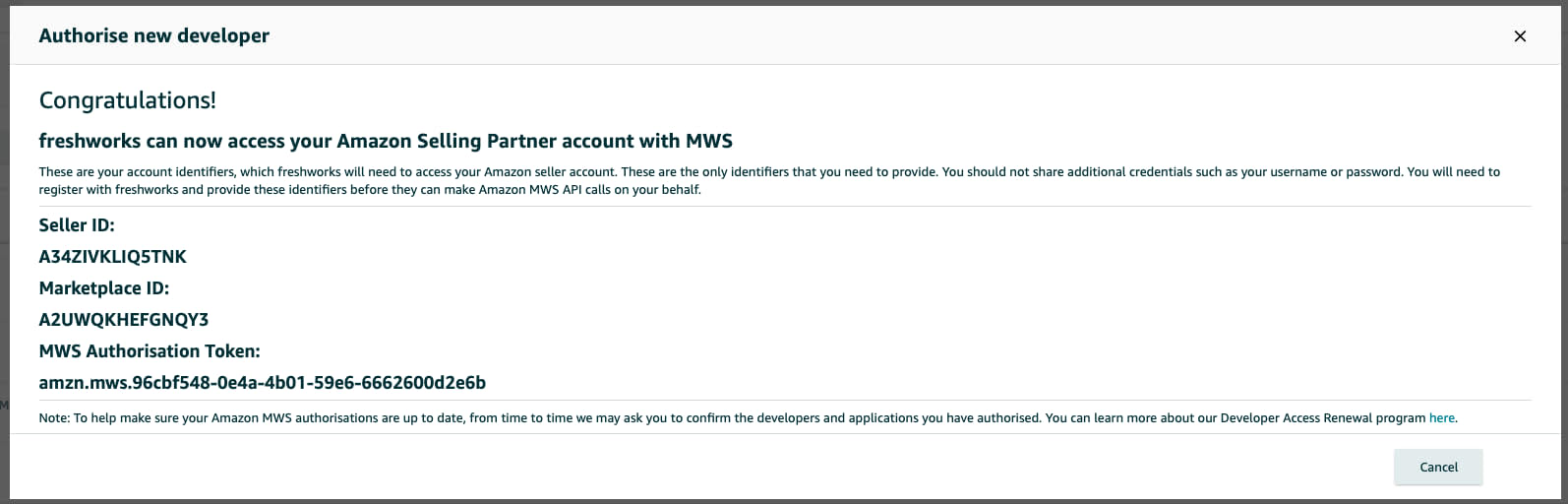
- Copy the Seller ID and MWS Authorization Token displayed on the confirmation screen
- Send both values securely to your Solution Provider
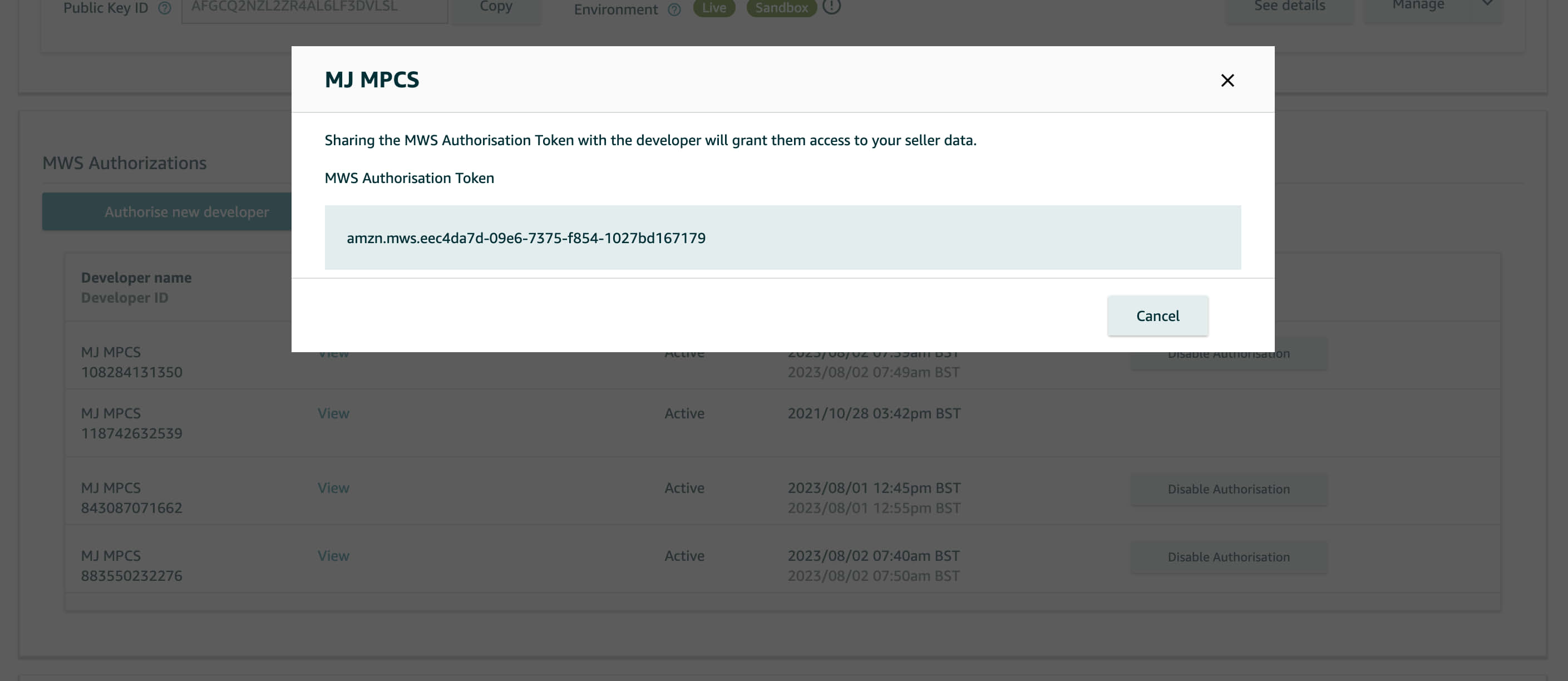
Your Solution Provider will use these credentials to exchange the mwsAuthToken for an Authorization token and make delegated API requests on your behalf.
