---
title: Create mwsAuthToken in Seller Central
url: amazon-pay-registration/create-mwsauthtoken.html
---
Before you can add an Authorization token to make delegated API requests, you must first create an MWS Authorization Token (mwsAuthToken) in Seller Central. This token allows your Solution Provider to make API calls on your behalf.
* TOC
{:toc}
{::options toc_levels="3" /}
***
### Step 1: Contact your Solution Provider
Contact your Solution Provider to obtain their **Developer Name** and **Developer ID**. You will need both pieces of information to authorize them in your Seller Central account.
### Step 2: Navigate to MWS Authorizations
1. Log in to your Amazon Pay Seller Central Account in Production
2. Click the **menu icon** (☰) in the top-left corner
3. Navigate to **Integration Central**
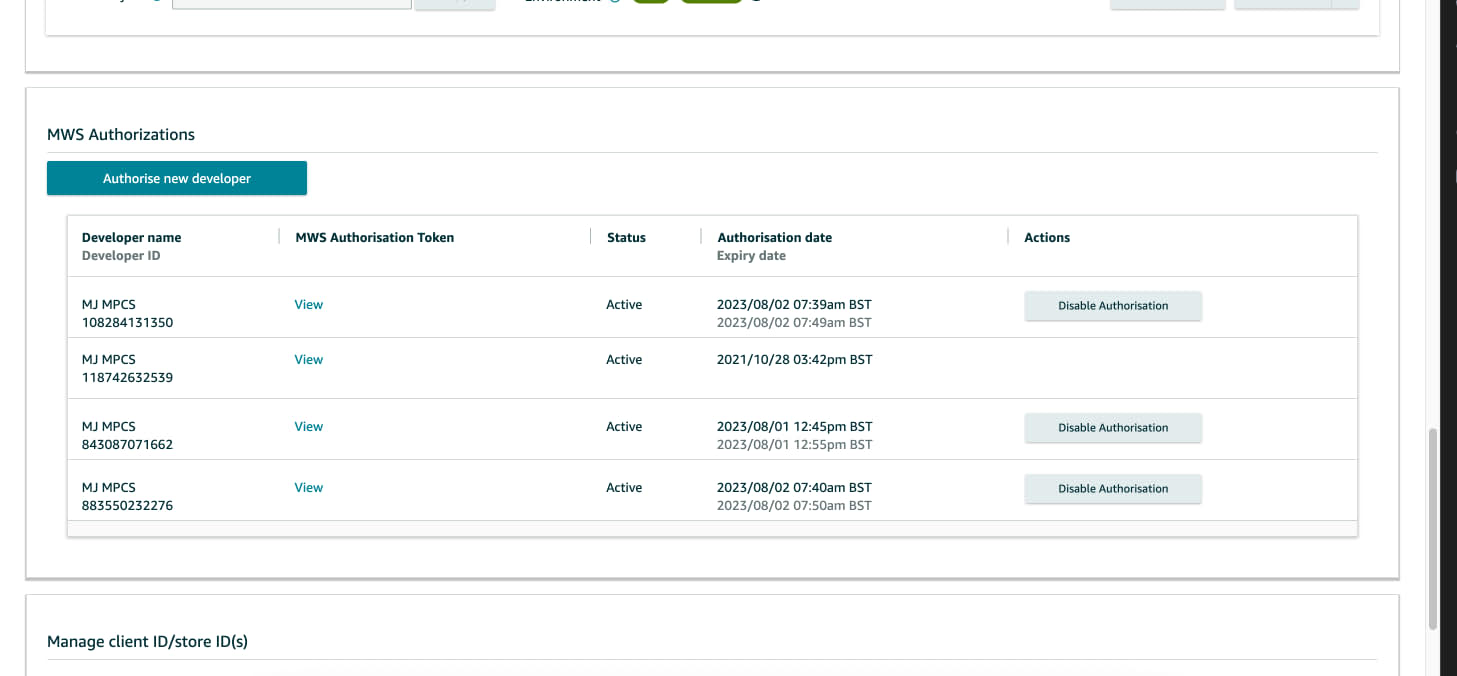
4. Scroll down to the **MWS Authorizations** section
5. Click **Authorize new developer**
 ### Step 3: Enter Developer Information
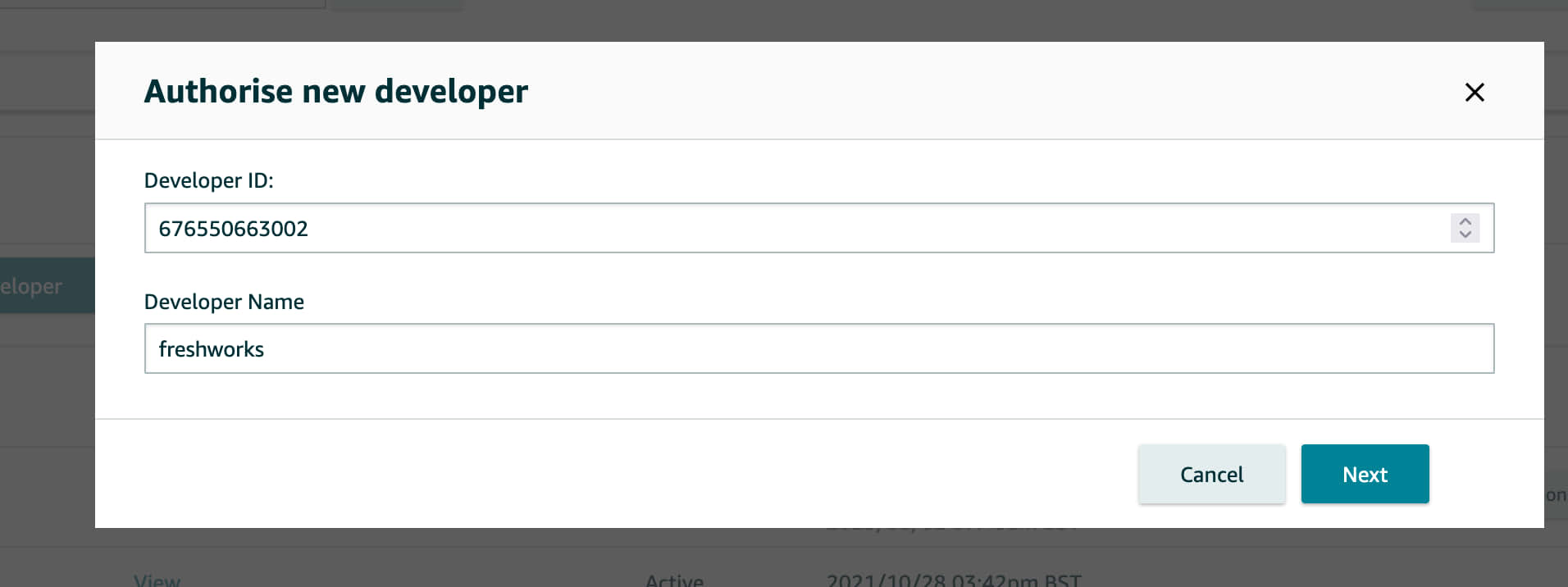 1. Enter the **Developer ID** and **Developer Name** provided by your Solution Provider
2. Click **Next**
3. Amazon Pay will verify the Developer ID
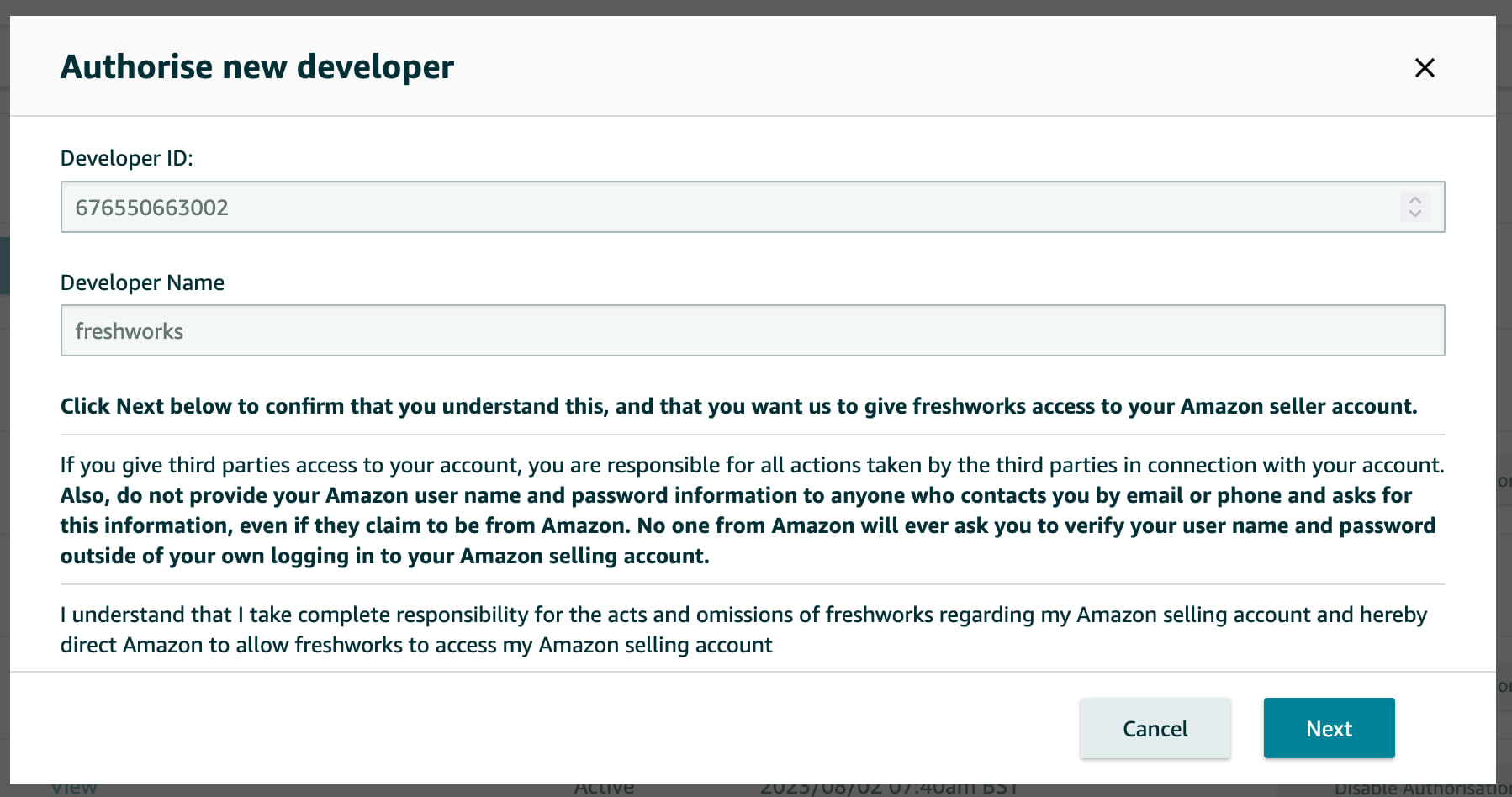
4. If verification is successful, review the **Terms and Conditions** displayed on the next screen
5. Accept the Terms and Conditions to proceed
1. Enter the **Developer ID** and **Developer Name** provided by your Solution Provider
2. Click **Next**
3. Amazon Pay will verify the Developer ID
4. If verification is successful, review the **Terms and Conditions** displayed on the next screen
5. Accept the Terms and Conditions to proceed
 ### Step 4: Share Authorization Details
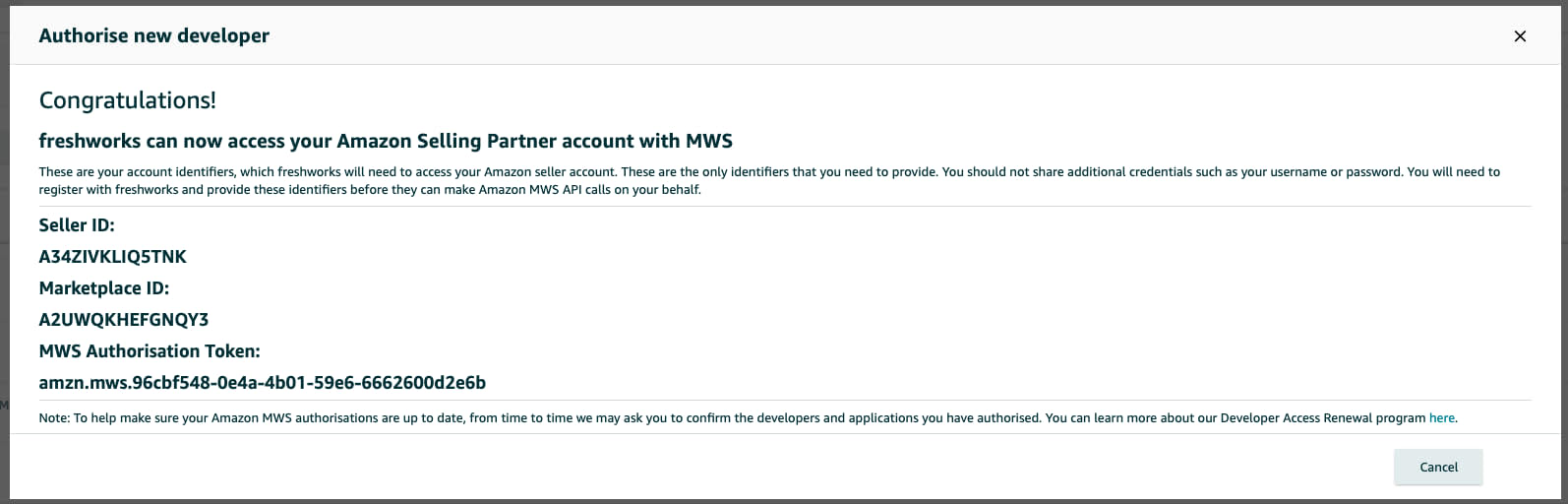 1. Copy the **Seller ID** and **MWS Authorization Token** displayed on the confirmation screen
2. Send both values securely to your Solution Provider
1. Copy the **Seller ID** and **MWS Authorization Token** displayed on the confirmation screen
2. Send both values securely to your Solution Provider
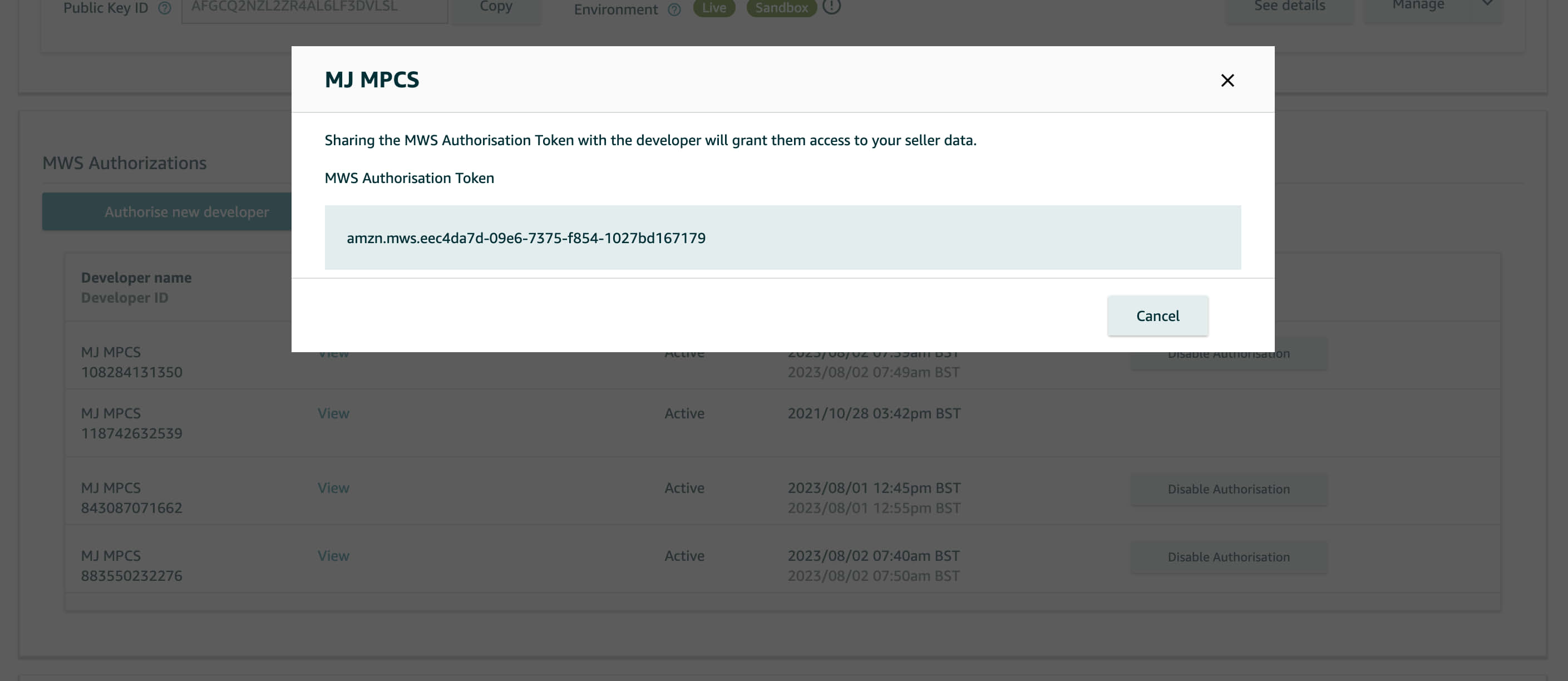 Your Solution Provider will use these credentials to exchange the mwsAuthToken for an Authorization token and make delegated API requests on your behalf.